Your Owner Dashboard
Manage your villas, bookings, and communicate with cleaners - all from one place.
Dashboard Navigation
Home
Bookings
Messages
Villas
Account
Logging In
Access your dashboard with email magic link or phone OTP - no passwords needed.
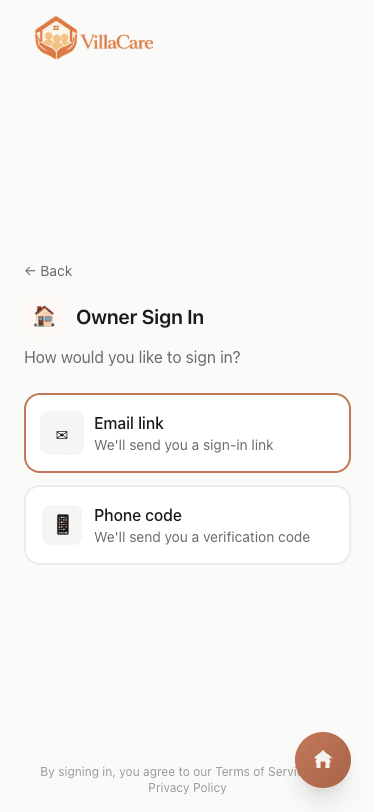
Choose how to sign in
You can sign in with your email (magic link) or phone number (OTP code via WhatsApp).
Phone login is fastest - the code arrives instantly via WhatsApp!
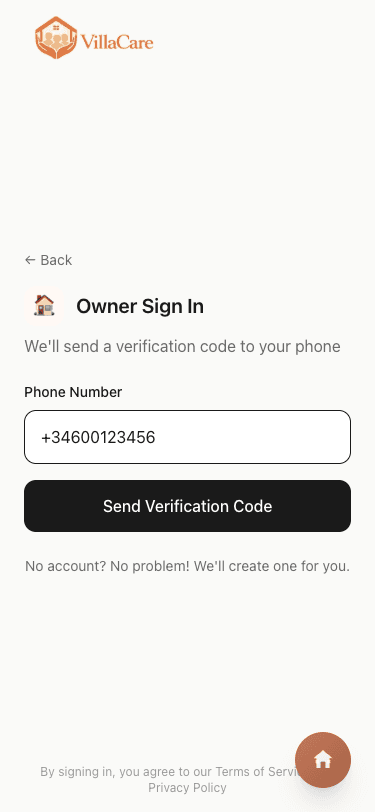
Enter your phone number
Enter your phone number with country code. We'll send a 6-digit code to your WhatsApp.
Make sure to include your country code (e.g., +44 for UK, +34 for Spain).
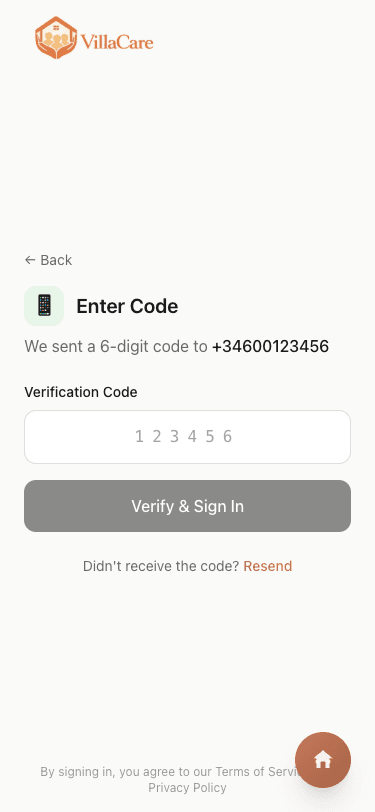
Enter the verification code
Check your WhatsApp for the 6-digit code and enter it here. You'll be logged in automatically.
The code expires in 10 minutes. Request a new one if it doesn't arrive.
Getting Started Checklist
New to VillaCare? Follow the checklist to set up your account and book your first clean.
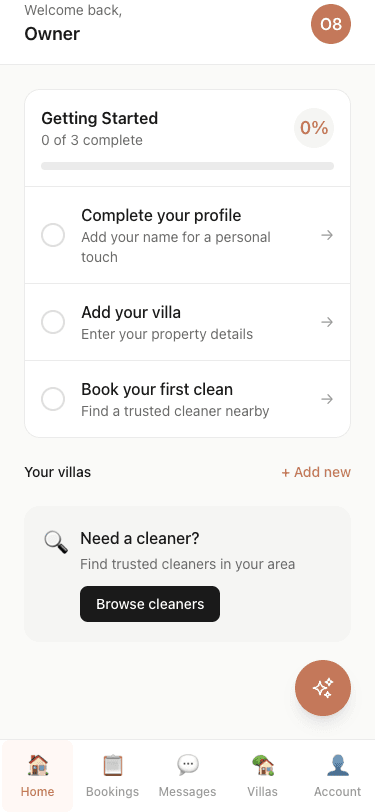
Your progress is tracked
When you first log in, you'll see a Getting Started checklist. Complete each step to unlock all features.
The checklist shows your progress - aim for 100% to get the most from VillaCare!
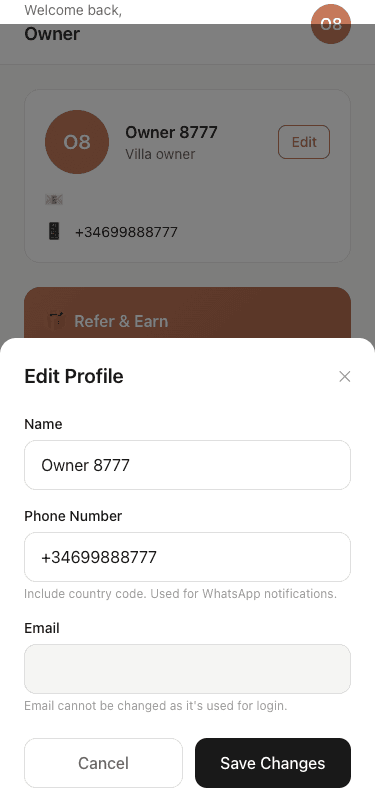
Complete your profile
Add your name so cleaners know who they're working with. This also personalises your experience.
Your name appears in booking confirmations sent to cleaners.
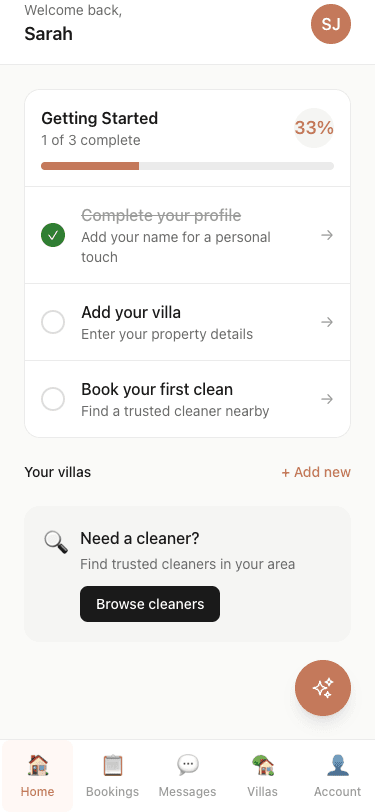
Track your progress
As you complete steps, the checklist updates. Once you've added a property and made a booking, you're all set!
Each completed step unlocks more features and personalisation.
Remote or Resident?
Tell us whether you live at your villa or visit from abroad - this unlocks personalised features.
One quick question
After adding a property or booking, we'll ask if you're a remote owner (holiday home) or resident (live there full-time).
This helps us show you relevant features like "I'm Coming Home" for remote owners.
I'm Coming Home
Remote villa owners can easily notify their cleaner when they're arriving - perfect for arrival prep.
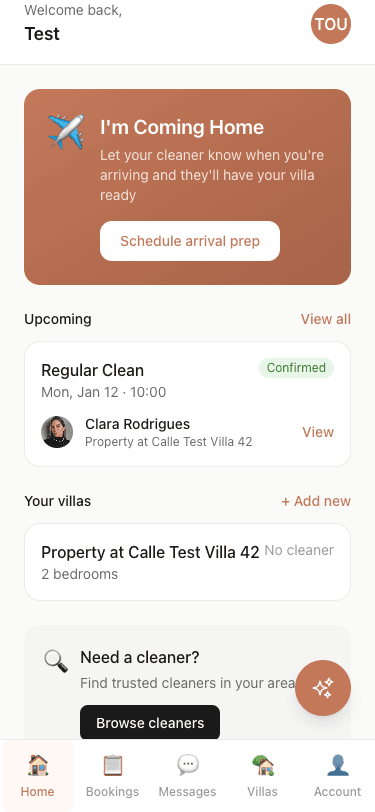
Plan your arrival
The "I'm Coming Home" card appears on your dashboard. Tap it to let your cleaner know when you're arriving.
Book an arrival prep clean to have your villa spotless when you land!
You're All Set!
Once you've booked through the AI assistant or completed onboarding, you'll see this confirmation.
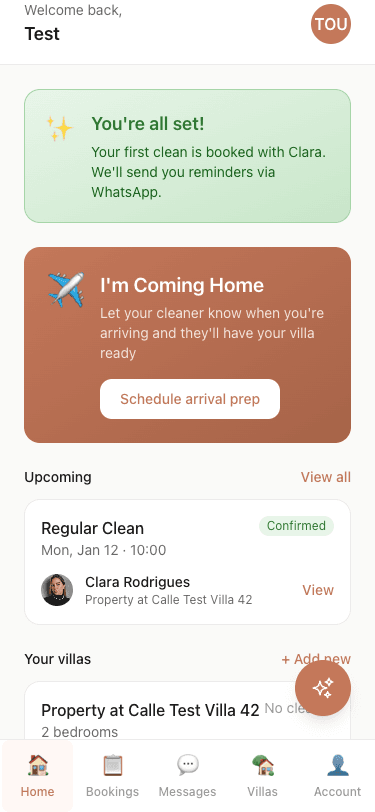
Booking confirmed
When you book through a cleaner's AI assistant, your account is created automatically with everything set up.
You'll receive WhatsApp reminders before your clean - no need to remember!
Viewing Booking Details
Your bookings appear as cards on your dashboard. Hold any card to see full details and quick actions.
Hold to peek
Press and hold any booking card for a moment to peek at the full details. Release to close, or keep holding to unlock the actions menu.
A quick hold (300ms) shows a preview. Hold longer (1.5s) to unlock buttons and take action!
Quick actions
Once unlocked, you can message your cleaner, reschedule, add access notes, or cancel - all from one place.
Different actions appear based on booking status - pending bookings can be cancelled, completed ones can be reviewed.
Editing Access & Instructions
Need to update access details or add special instructions? You can edit these anytime from the booking card.
Update access notes
Plans changed? Maybe you'll be at the villa yourself and the key holder isn't needed. Tap "Edit" on access notes to update via the AI assistant.
Access notes are shared with your cleaner 24 hours before the booking - keep them updated!
Add special instructions
Let your cleaner know about focus areas, guest arrivals, or preferences. The AI assistant makes it easy to add or update instructions.
Special instructions help cleaners deliver exactly what you need - be specific!
Ready to get started?
Log in to your dashboard and complete the Getting Started checklist.